Wednesday, 23 March 2016
After Effect:AllK.Win&NooD.Loss

Monday, 21 March 2016
My pattern design 1

Eye
The painting is based on a manuscript do a vector, little change, mainly because some pattern in a block in the painting to fill the entire block. I am more like the eye pattern, in addition to the eye I still feel kind of unique charm Among this, the eyes will shine, so I put the whole light to visualize, in the last corner on the edge of ancient Chinese paintings used in construction water chestnut, just think it would look more unique, the whole picture is more diversified.

round
This work is entirely my own imagination to do, in the works of the water chestnut I painted Chinese ancient buildings, I separated to re-do a painting with a copy made of a method of rotating fan in scalloped edge plus some new pattern, and finally found one of the most obvious problem is the screen there are a lot of places, so I added the two sides of the eagle's mouth, it is the picture more interesting.
Saturday, 12 March 2016
My logo design 1


The logo design is a lot of network disk design networks are typically used, I also learned to draw a dotted line in the instructional design of the software, just think of the design of the logo design, I like gold, so in color, I just with different depths of gold to create, to make the picture more coordination, I did a white background aspects and dark gray two different styles, I think I might I have a lot of space to adjust in terms of color.
Thursday, 10 March 2016
After Effect: Final
I basically completed all my ae animation, in fact, the whole process I learned a lot of things, such as a variety of text effects there are some basic tips on how to connect to one screen, add background music, and I All ae's job is also customary to operate, in fact, when I use the camera, found some fundamental problem is that I do not use it, it is more difficult to control, as well as to control the bad effect on poor, so I think this is one of the most serious problems.
Sunday, 21 February 2016
TEASER TRAILER
This is the upcoming movie! I like the natural kind of movie, gave me the feeling of nature, a lot of different visual effects, refreshing, and I'm looking forward to it's release.
I prefer a pursuit of natural style, today's society, we still have too much to pursue high technology at the expense of nature and nature has given us all want things, air, water, and many things. This film is very obvious expression of a boy in the forest to the real world in a variety of adventures, the boy grew up in the forest from the time of birth, he and the animals eat and sleep together, everything is very natural. But then we meet people outside forests, encounter all sorts of strange things. This is going to be released film, wanted to know the specific circumstances, you can go to the cinema to watch.
Thursday, 18 February 2016
Cinema 4D Lesson 1


1. Create a project folder Project Name
C4d (C4d, texture images)
Artwork (illustrator, photoshop,)
Output (Images, Movies)
2. Set up Illustrator Open illustrator / open rulers
Move centre point to centre of artboard
create logo artwork
Reduce art board size to fit
Save file as (Logo.ai) - Illustrator 8
3. C4d - Project template Set format and Render Settings
Change dimensions to Millimetres - 297x420
Set rendering to Current Frame
4. C4d - Display settings Mode / View Settings / View - tick Action Safe
& Tinted Border (95%)
5. C4d - Import Logo File / Merge / Logo.ai file
Create an Extrude Nurbs object
Drag logo onto extrude nurbs
Adjust settings in extrude nurbs
6. C4d - Environ setup Create a Background object
Create a Floor object
Create a Material and give it a name
Add this material to floor and background
Add a Compositing tag to floor
Tick comp background in this tag
The lessons is very interesting, I really find a difficult job .

Wednesday, 17 February 2016
Analogue Communique 3D Lesson 2


金
According to the content of the lesson, the lesson I probably had a stroke, in order to make more three-dimensional nail, I chose to put the nail upside down, but the process is more difficult, because it is easy to tie hand, very dangerous, after done and out of the effect is not very good. So I immediately changed my mind, nick gave me some advice, I still feel better idea before, so I decided to change the original idea, nick a lot of material to find me, find me a white board, the board is too thin, the thickness of a piece I pay more, just the length of the nail is also just right, because before doing it, one by one, the nail is not strong enough, it is easy to fall, I intend stacked one by one, the last time nearly finished find the nail is not enough, so I bought a new nail, finally finished my work.
Monday, 15 February 2016
Paper cutting


paper cutting
These paper-cut, relatively speaking, for the first time I do, I'm in for coverage, go to the store to pick up a more ornate paper, paper-cut in order to allow the color is not the same paper-cut and past, so this color paper above, I still use a Chinese paper-cut method, symmetrical cut it, I also read a lot of other paper-cut patterns, so there are a lot of things I'm going to study, to go to learn, this is a very long way and I I hope I can cut more work for everyone to enjoy.It's my first time to make a paper cutting , but i like it!
Tuesday, 9 February 2016
Rob's lessons for Chinese2


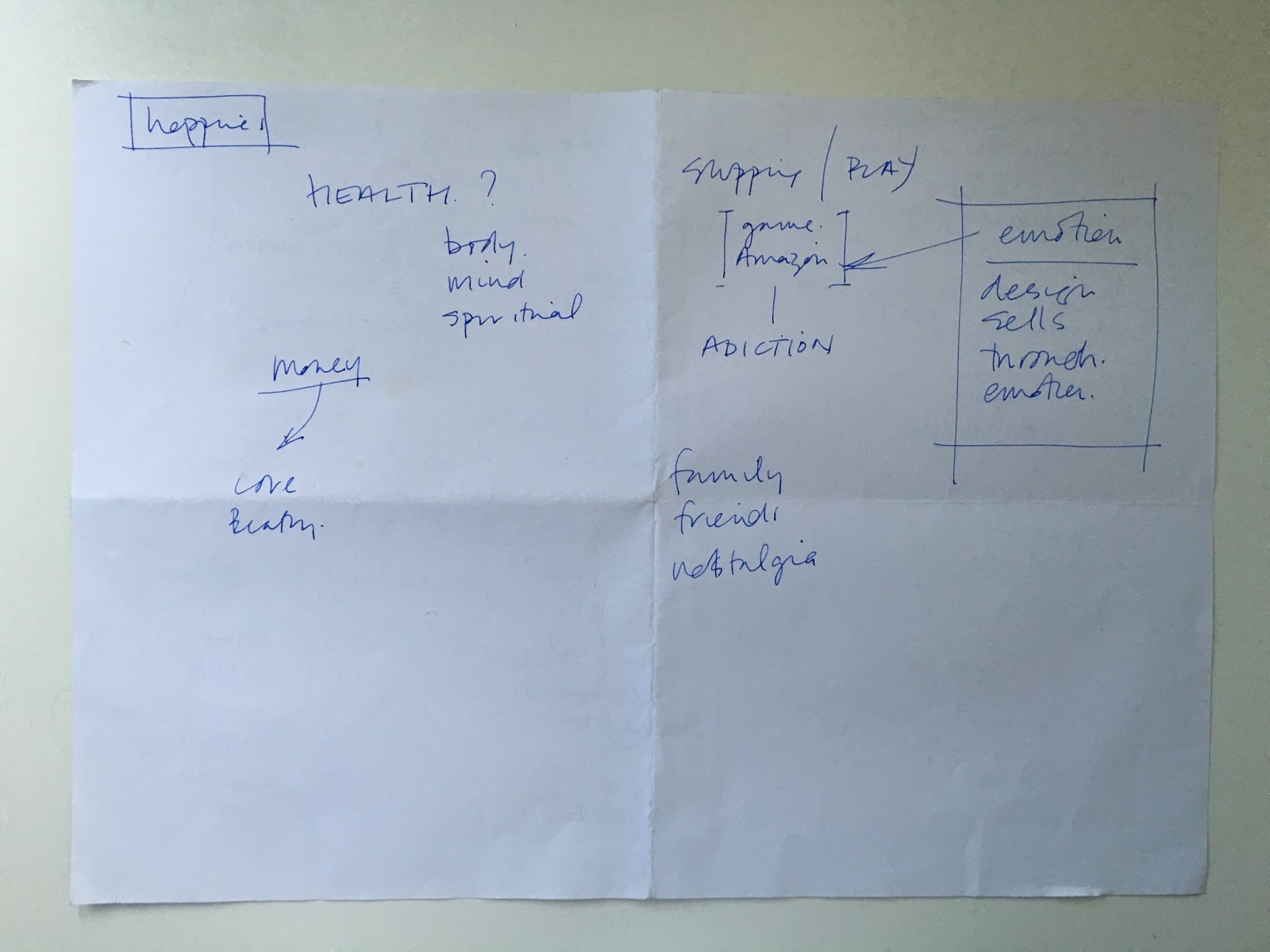

ROB today and we discussed our newest project, about happiness, internet and my future, rob write some of the themes that we think about them. Then a translation of every words, and finally we put them together, rob told us a lot and help us to understand what we need to do the work .Just for me, I think this is very meaningful.
Thursday, 4 February 2016
Analogue Communique 3D Lesson1

金
In the following lesson we experimented with materials to create type using 3D Forms. The objective of this lesson is to communicate our message using our choice of material as a 3D type installation, i decided to use chinese words to make it. It means golden, so i want to make everything is golden.
Tuesday, 26 January 2016
After Effect: Lesson 4 3D Depth
MGMT - All We Ever Wanted Was Everything from oneedo on Vimeo.

Building from LEI TANG on Vimeo.
One of the things we are aiming to do in this workshop is enhancing our skills in motion graphic, so this clip is to show us an example of what we will be making. We are going to do is just pull the camera back it can bring the quality of the clip. The camera starts close in and has it pulls back you are revealing the character and object in your piece of work. The potential of how you can develop It as a storyteller is good. We are also going to be applying something similar, the type of roll on that rolls on each image (scene). We are going to be doing a sympathise way to our art work.

After all of this editing and spacing out the layers, click on layers, camera and leave everything default except the enable depth of field which means you want to allow some thing to be out of focus. Then an orange bar that appears as it represents the camera tool. To use the camera tool, we put a key frame of point of interest and position in the beginning and the end.
Subscribe to:
Posts (Atom)

